Fundraising
Cookie dough, magazines, walkathons,or just collect donations.
Set up whatever your season calls for: a walkathon, a spaghetti dinner, spirit wear, a mums sale, cookie dough, magazines, or a plain donation with a goal to hit. Parents give or order online, the money goes to your organization, and you get a report the treasurer can use.
Start free, no setup fee Card, Apple Pay, Google Pay No equipment needed
What you can run
Anything with a price and a quantity.

A fundraiser is an order page with your items on it. Set the price, the sizes or options, and when ordering closes. The same page can sell a dinner ticket, a hoodie, and a donation at once.
- Spirit wear
- Shirts, hoodies, and hats with sizes. Parents pick a size and pay; you get the count per size.
- Dinner and event tickets
- Spaghetti dinners, pancake breakfasts, Night at the Races. Sold by the seat, with the buyer’s name on the list.
- Cookie dough and candy drives
- Cookie dough, Crumbl Cookies, mums, and candy bars. Each buyer orders online instead of on a paper form.
- Donation drives and walkathons
- A campaign of its own with a goal, a progress bar, and the supporters who gave. Or a donation line at checkout with your own message, such as “Donations fund new uniforms.”
How it works
Three steps.
We set up the page
Send us the items, prices, sizes, and when you plan to hand orders out. We build the order page and give you a link and a QR code to share by email, text, and social media.
Parents order and pay
Card, Apple Pay, or Google Pay from any phone or computer. No paper forms to collect, no checks to chase, and grandparents out of state can buy too.
You get the list
Every order with the buyer’s name, contact, and sizes. One report for the treasurer and one for the vendor, so fulfillment is a list you can hand off.
What giving looks like
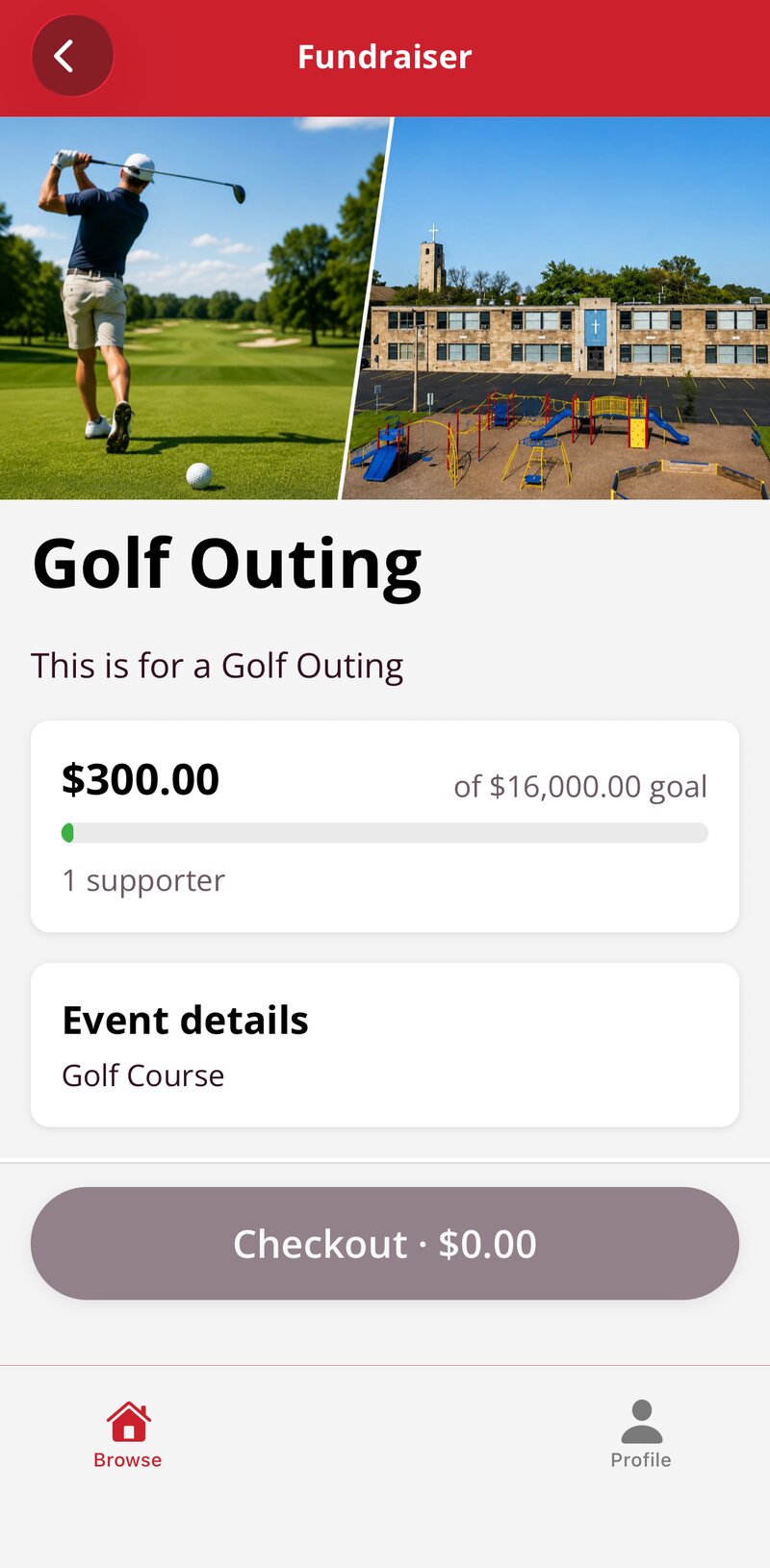
The same phone menu your fans already use.
Your fundraiser, raised against goal.
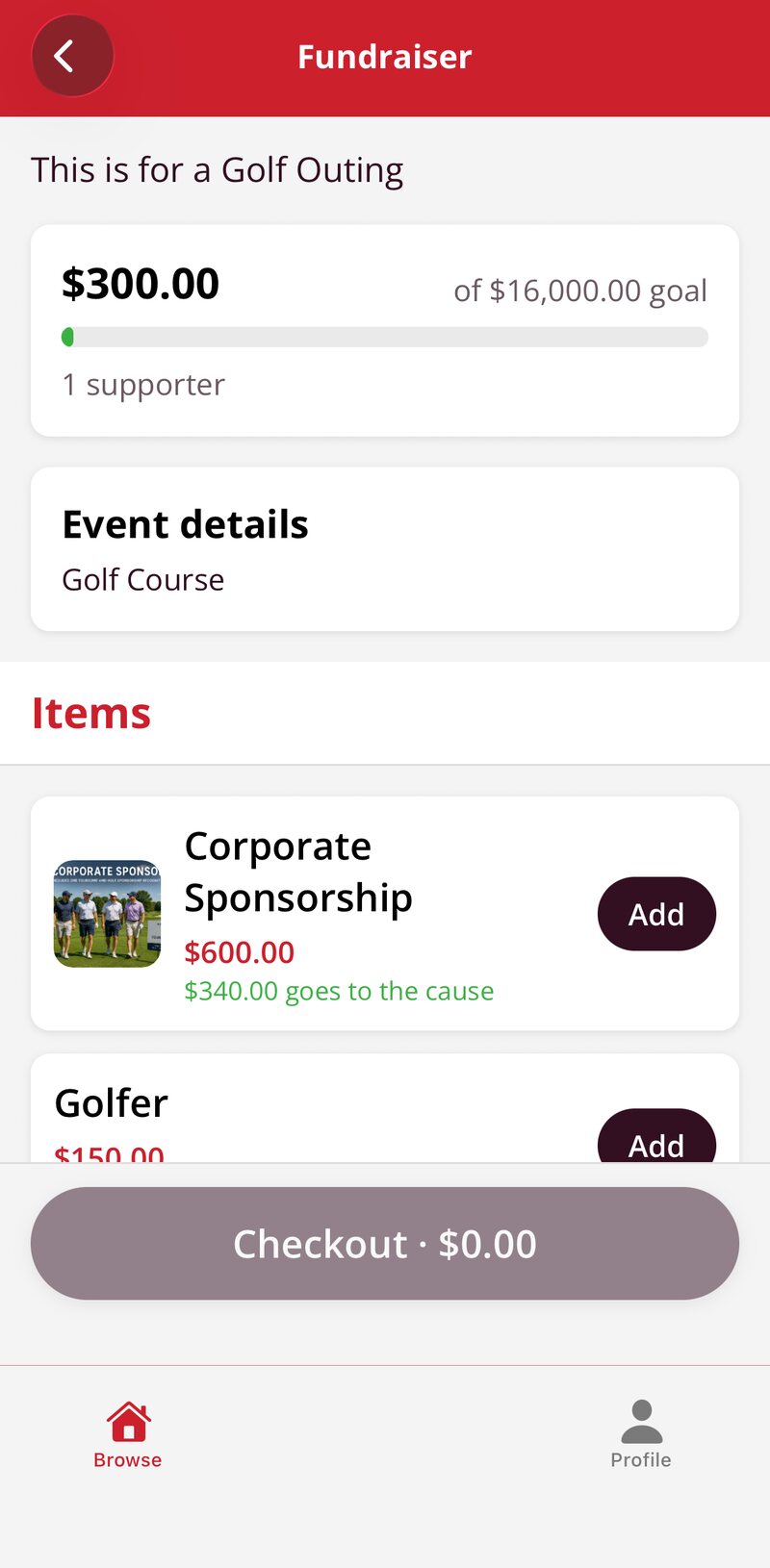
Sponsorships and tickets, with what goes to the cause.
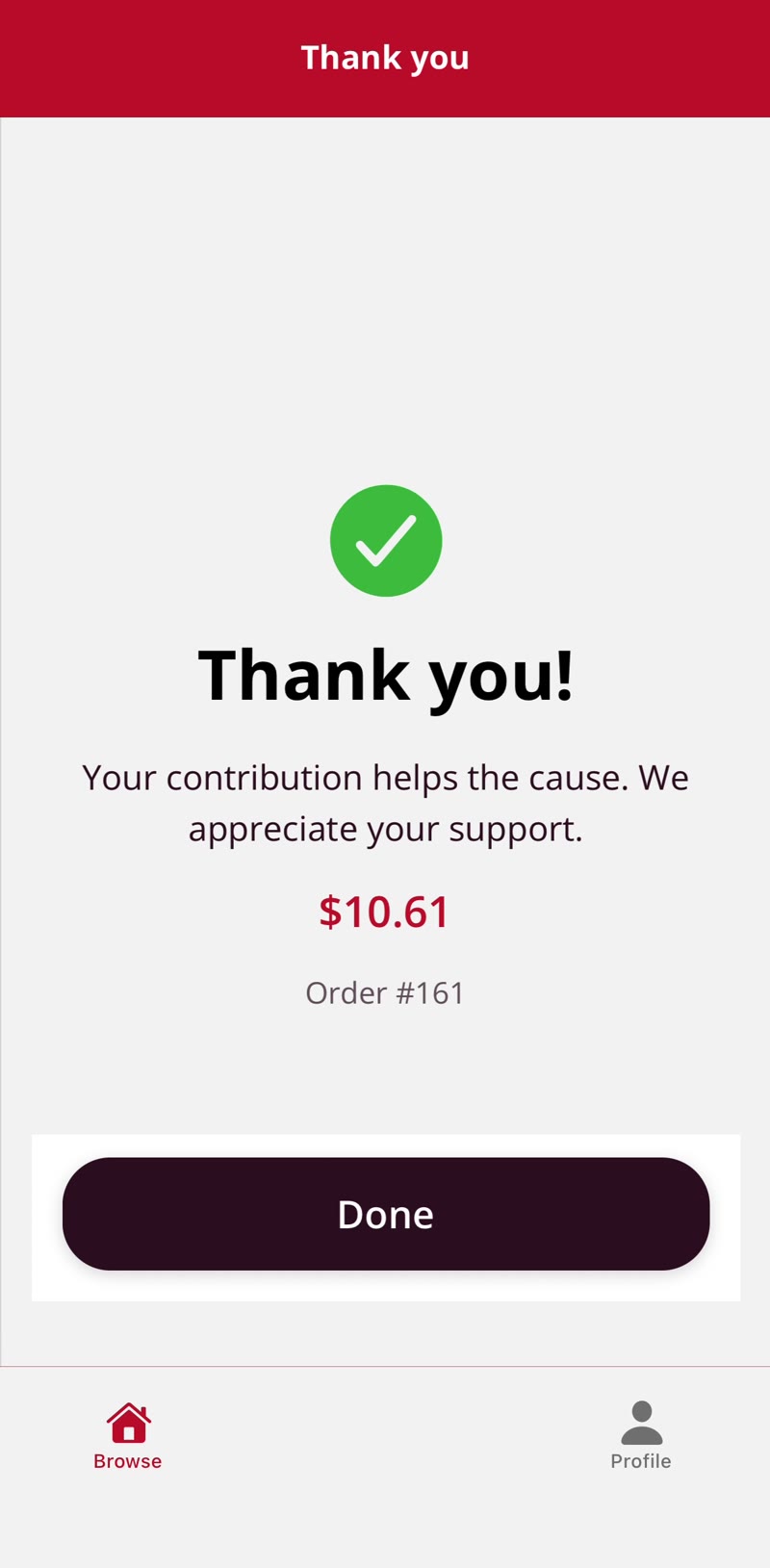
Give in a few taps, done.
The report
Every order in one list
Orders come in online instead of on paper, each one with the buyer, the item, and the size. You get the totals by item and size for the vendor, and the money is collected up front. On pickup day, the orders show on the same screen your volunteers already use, and they check them off by name.
The report is written for the treasurer. Every order, how it was paid, and the total collected, with fees broken out, exported in one click.
- Orders by item and size
- Totals ready for the vendor
- Buyer name and contact
- Who to call if something changes
- How it was paid
- Card, Apple Pay, or Google Pay
- Total collected
- With card fees broken out
- Pickup status
- Who has picked up and who has not
Who pays the card fee
You choose. The organization can cover the card fee, or it can be added at checkout so the buyer pays it and your group keeps the full sale price. There is no setup fee and nothing to buy to run a fundraiser.
Part of the same system as concessions
If you run concessions on BlazeBite, fundraisers sit next to it. Same sign-in, same reports, same support. If you do not, a fundraiser is a fine place to start, and the terminals, kiosks, and digital signage are there when you want them.
Taking orders for a pickup day rather than raising money? Pre-orders is the page for that.
Run your next fundraiser on it.
Tell us what you are selling and when pickup is. We will set up the page and walk you through the report on a thirty-minute call.