Point of sale
Terminals built for
the whole operation.
One terminal at a booster window or eight across a stadium concourse, reported by terminal and location. Simple enough for a first-time volunteer.
- <30 sec
- checkout
- 37%
- faster fulfillment
- 22%
- more orders per event

What comes with it
Set up for a first-time volunteer. Built for the halftime rush.
The hardware
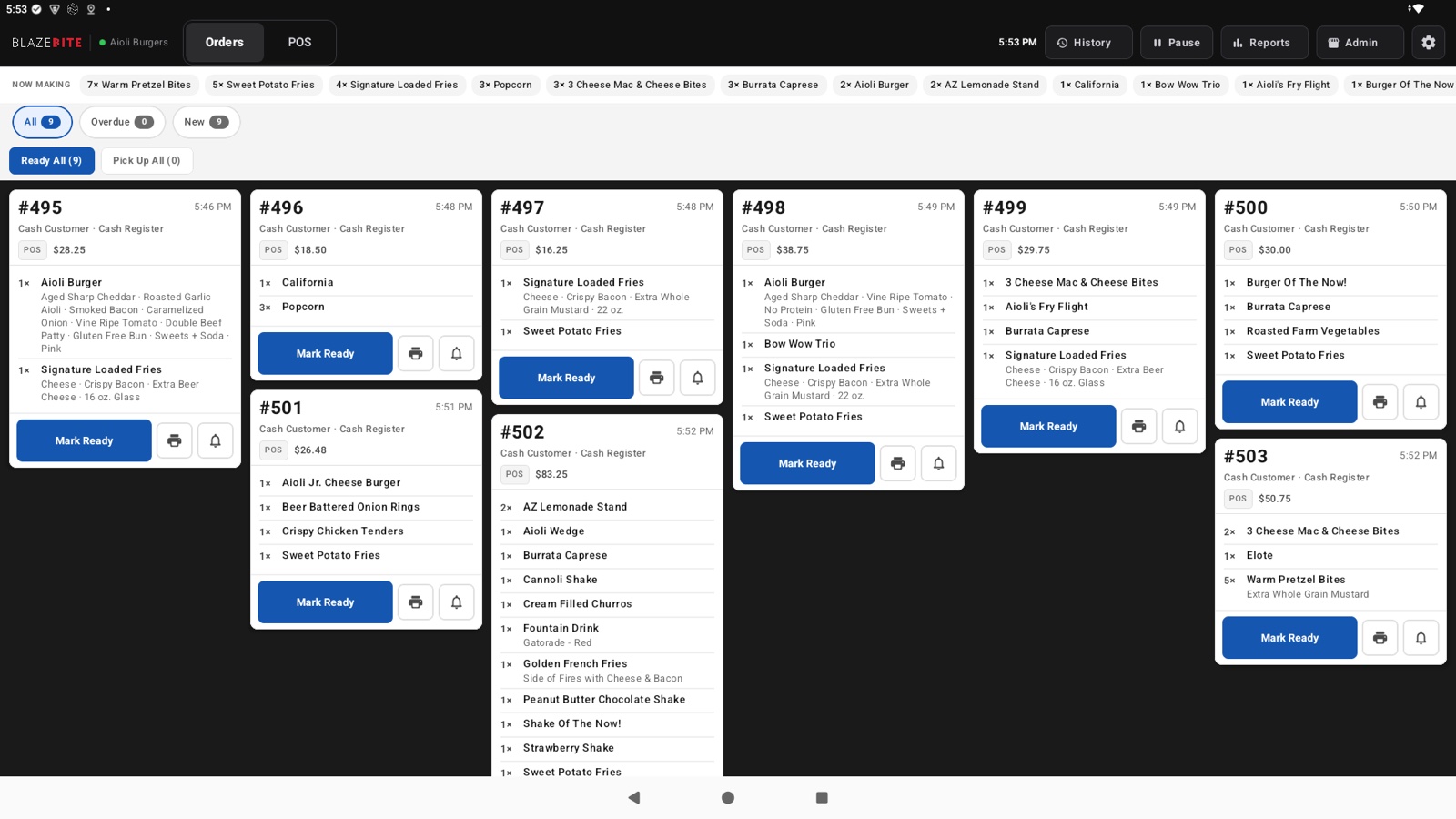
Each terminal comes with a card reader, a cash drawer, and a printer. Add one per window; each reports separately. It arrives set up. Put it on the counter, plug it in, and start selling.
- 15.6-inch touchscreen terminal
- Receipt and kitchen ticket printer
- Tap, chip, and swipe card reader
- Cash drawer
- Set up for your menu before it ships
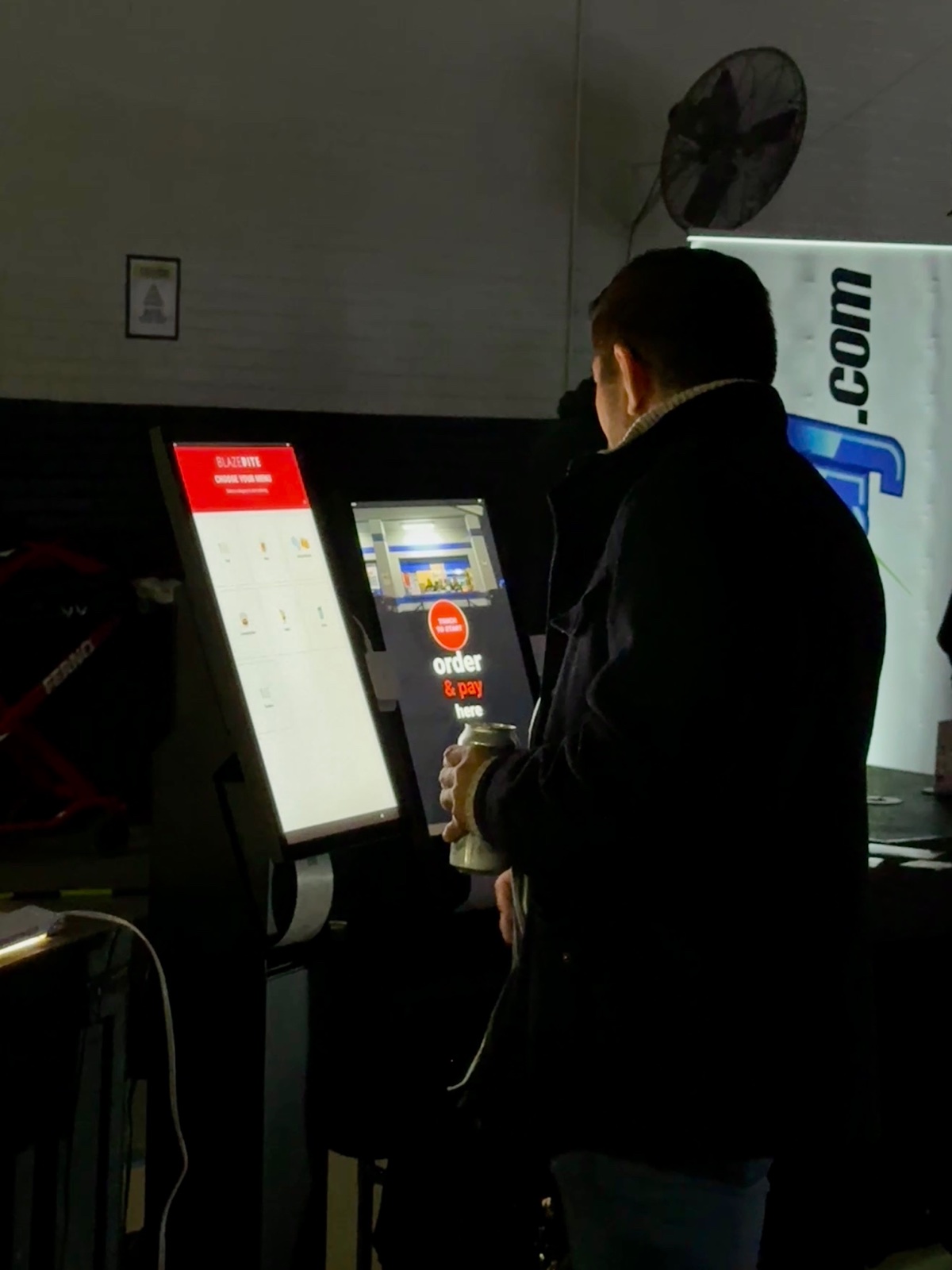
Add a kiosk
Fans order and pay themselves
Fans walk up, tap through the menu, and pay with a card or their phone. Fans add more when nobody is waiting behind them, and one volunteer can watch two kiosks instead of running one terminal.
See the kioskReports you can read on your phone
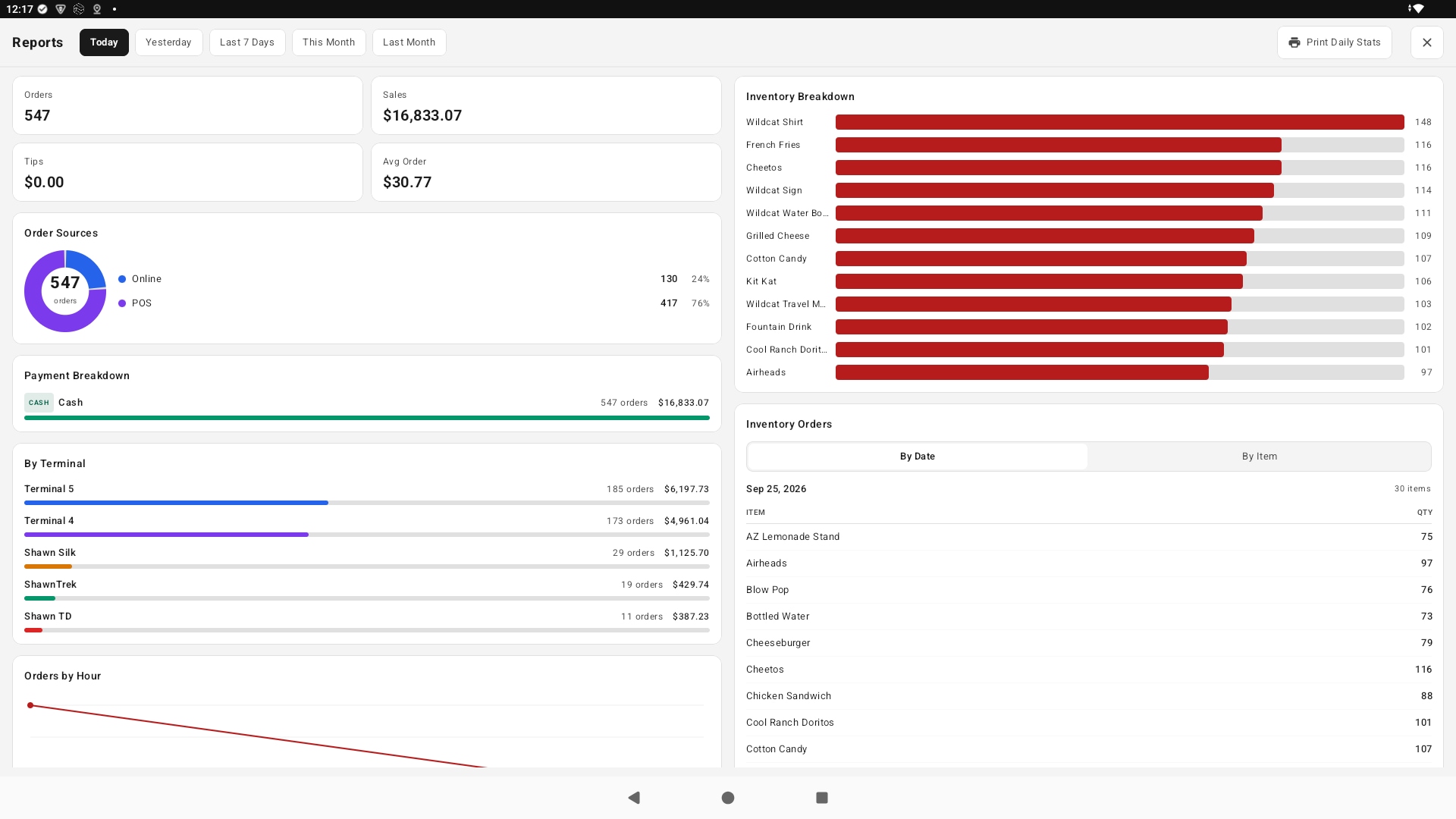
What sold, when the rush hit, and how much came in.
Live to the second, by day, by event, by item, and by terminal. Export it for the treasurer or a sponsor in one click.
- Sales as they happen
- Sales by day, by event, by item
- Stock counts per location
- Export for the treasurer in one click
Every sale in the export
- Order number and time
- Down to the second, so a question about one sale takes a minute to answer
- Terminal
- Which terminal or kiosk rang it up
- How it was paid
- Cash, card, Apple Pay, Google Pay, or phone order
- Items and total
- With tax and tip broken out
- Status
- Paid, refunded, or picked up
The portal
Run it from one place
Build the menu, watch the night as it happens, count what is left, and set up a sponsor. Same sign-in for every terminal, kiosk, board, and phone order at your venue.

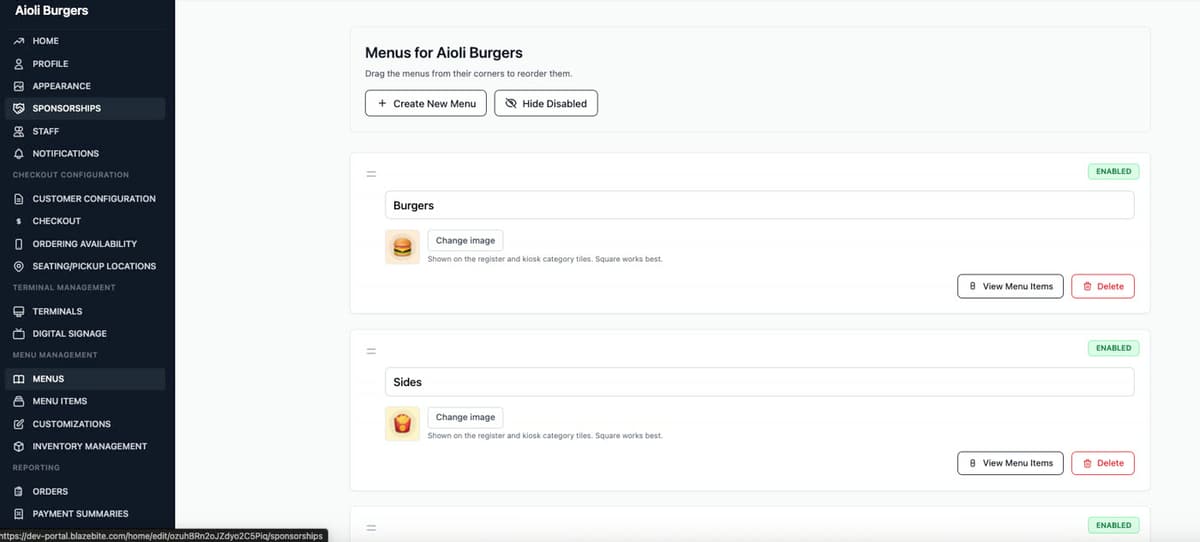
Build the menu once. It lands everywhere.
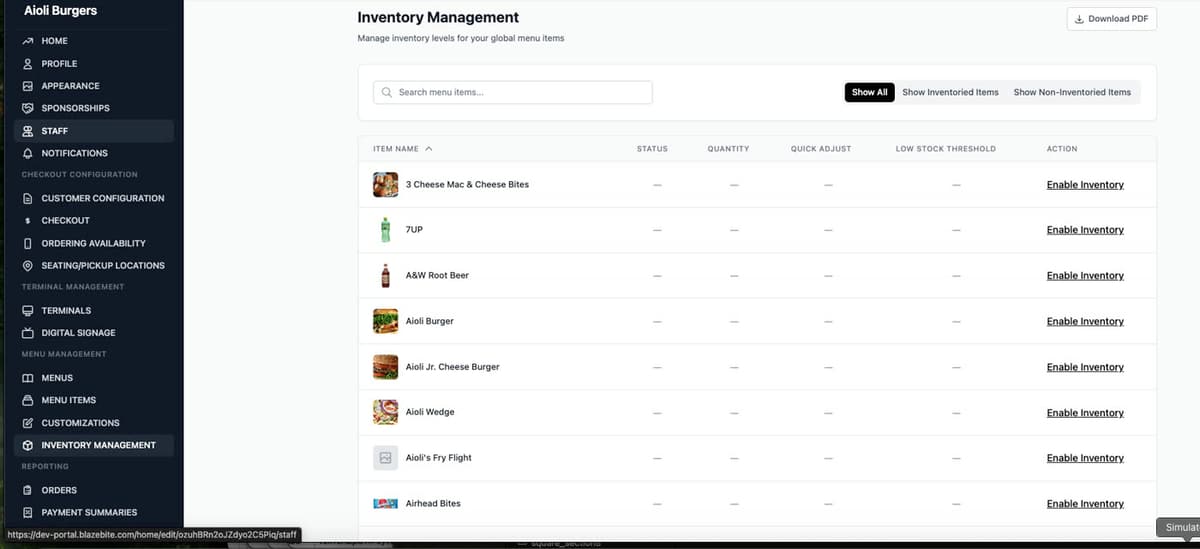
Counts per item, before you run out.
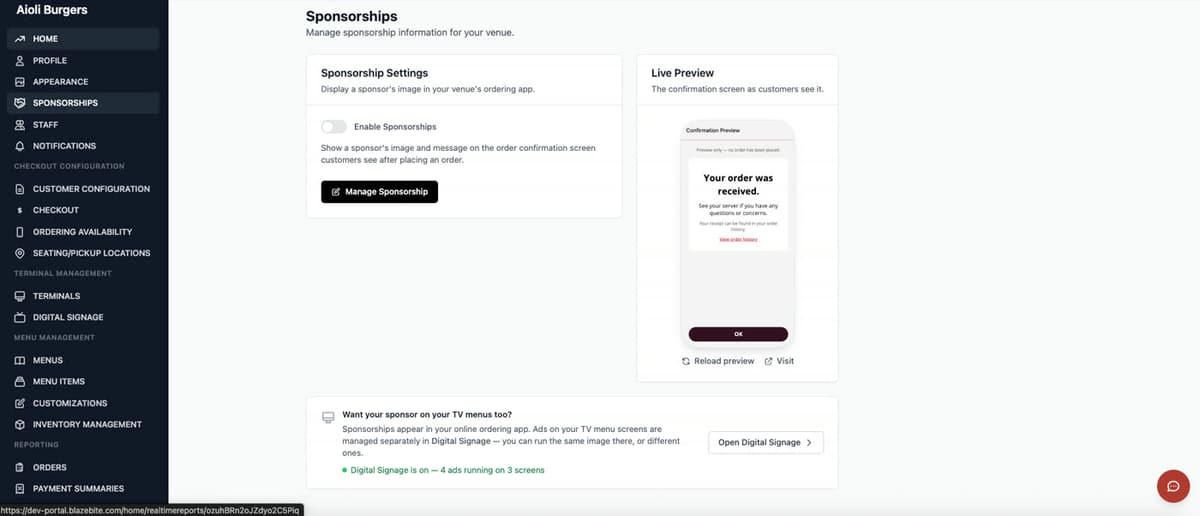
Set up a sponsor, see what the fan sees.


Inventory coming soon
Track stock across every stand. Get a warning before you run out of hot dogs at halftime, and keep a different menu for each stand if you need one.
Keeps selling when the Wi-Fi drops
Stadium Wi-Fi is not reliable. Cash sales keep going when the connection drops, and they sync when it comes back.
“Our sales have gone up because it’s so easy for customers to use. It’s been a game changer for our school.”
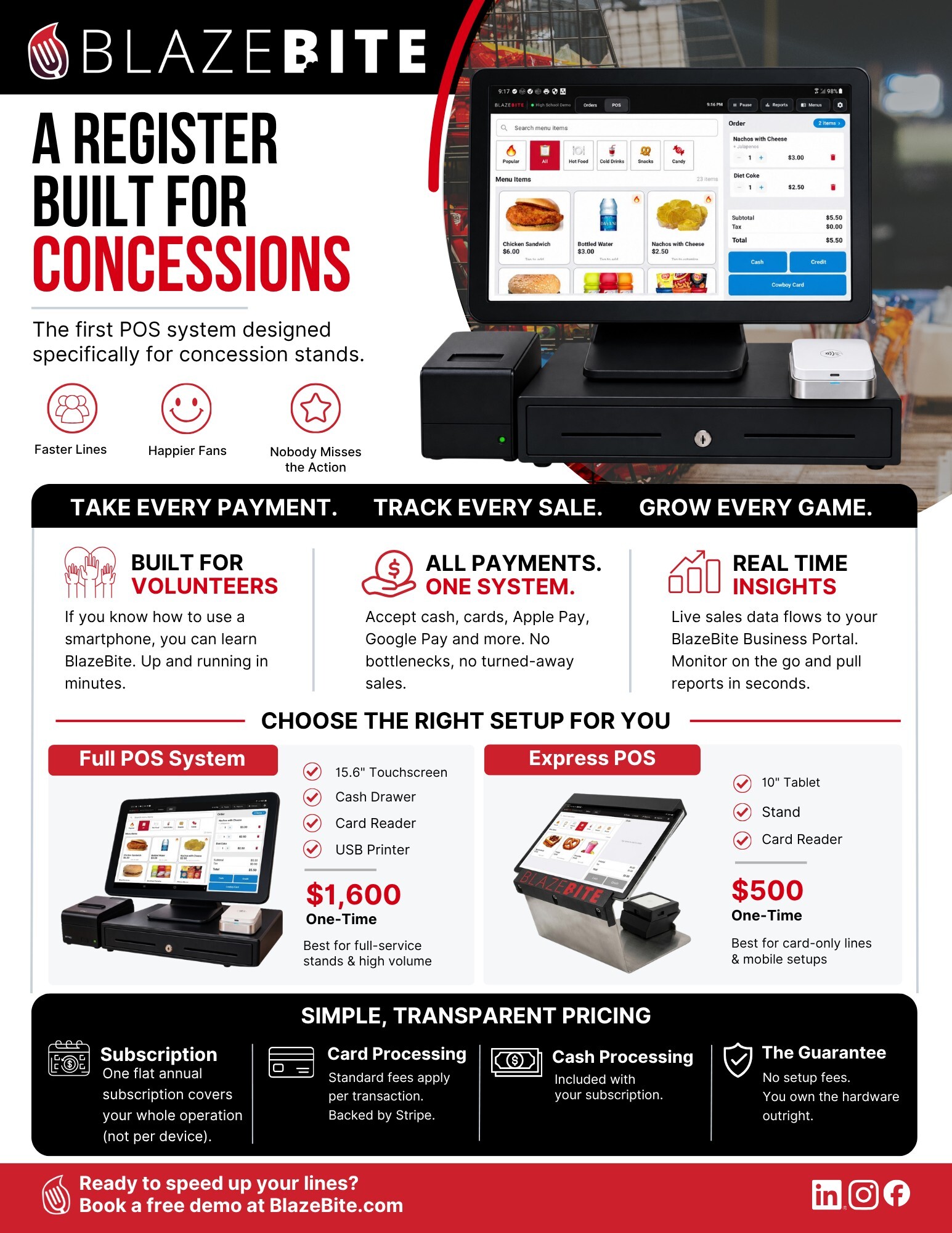
POS Terminal Product Sheet
A register built for concessions. Full and Express setups with pricing. One page, ready to print or send to whoever signs off.
See the terminal on a call.
A thirty-minute call. We ring a sale, print a ticket, and pull the report so you can see how it works.