Pre-orders
Take the order today,hand it over on pickup day.
Open a day, put the menu on it, and set when ordering closes. Families order and pay from a phone, and you get the count and the list well before anyone has to cook. No paper forms, no envelopes of cash, no guessing how many to make.
Start free, no setup fee Card, Apple Pay, Google Pay Paid up front
Band boosters, schools, and teams
Anything with a pickup day.

A pre-order is a day with a menu on it. Set the items, the price, and when ordering closes, and the order lands with the buyer’s name on it.
- Band boosters
- Spirit wear, spaghetti dinner tickets, and food ordered before the game. The band parent who runs it gets one list with every name on it instead of a folder of paper forms and a shoebox of cash.
- School lunch by the day
- Put each day up with its own menu and its own order-by date. Families order for Monday and Thursday, pay online, and the kitchen gets the count before anyone starts cooking.
- Ahead of the game
- Let fans order before kickoff and pick up at a window at halftime, so the busiest twenty minutes of the night are already bagged.
- Fundraiser pickup
- Spirit wear, cookie dough, and dinner tickets sold ahead, then handed out on pickup day against the same list.
- Anything with a pickup day
- Set what is for sale, when ordering closes, and when it is picked up. The rest is the same order flow your fans already use.
How it works
Three steps.
Put the day up
Pick the items for that day, the price, and the date ordering closes. Repeat it for every day you want open, or put the whole month up at once.
They order and pay
From any phone, card, Apple Pay, or Google Pay. The money is collected up front, so nobody is chasing envelopes on pickup day.
You work the list
Every order for that day in one list, with the buyer and what they ordered. Your staff check them off by name on the same screen they already use.
What pre-ordering looks like
Pick the day, pick the items, pay.
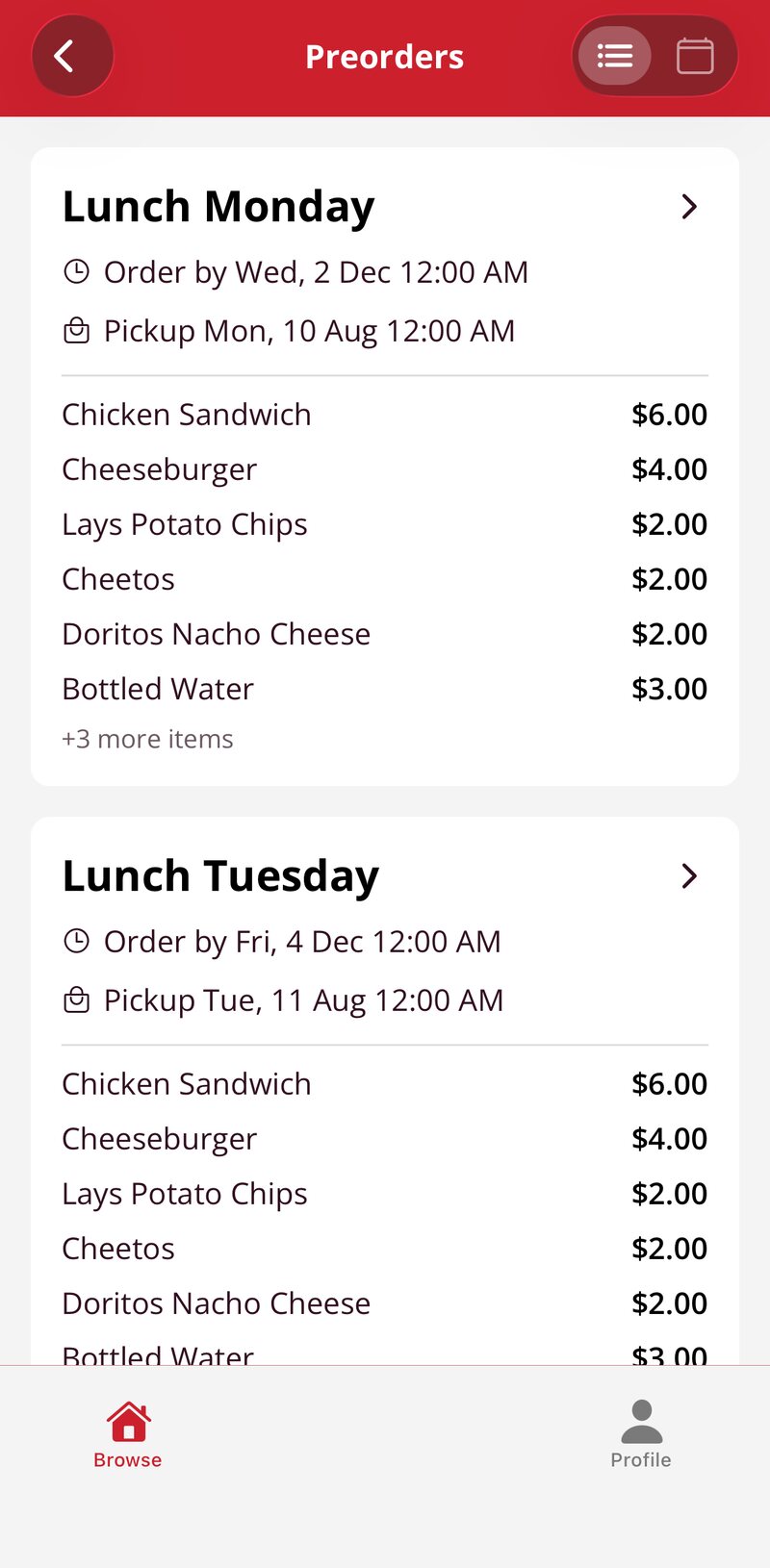
Each pickup day, with its order-by date.
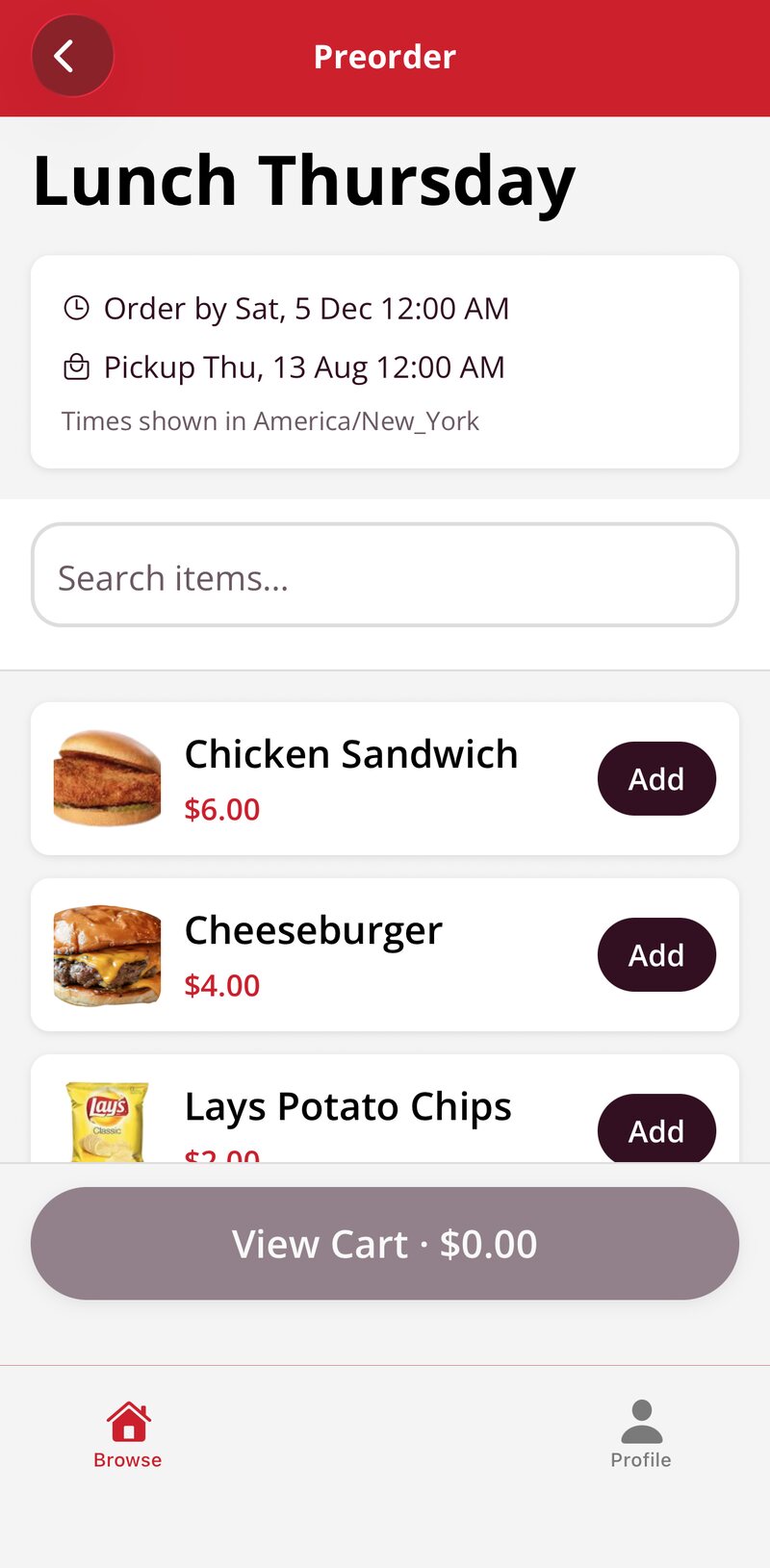
The items for that day. Add, then check out.
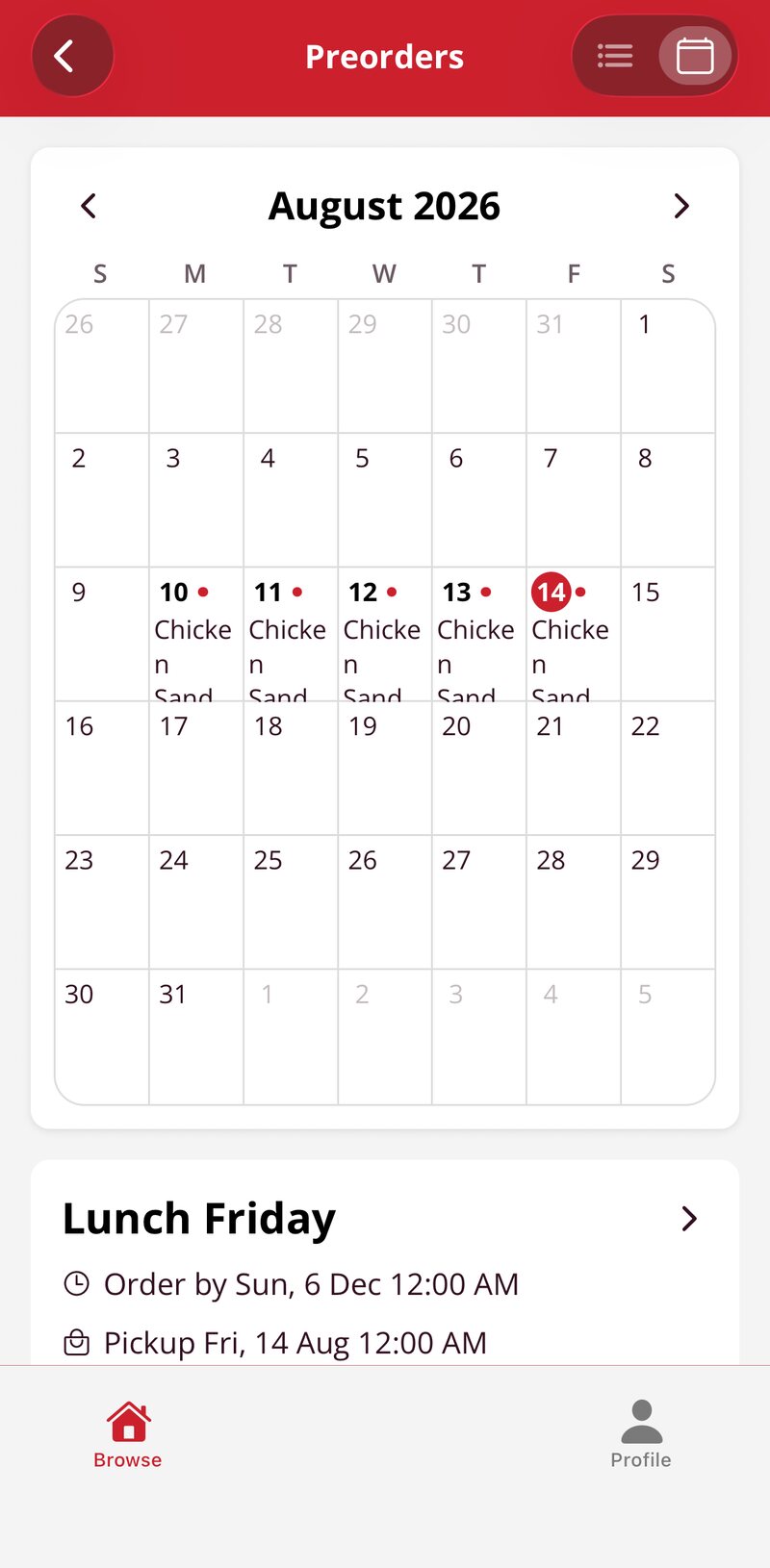
Or pick the day from the calendar.
The list and the report
Every order in one list
Orders come in online instead of on paper, each one with the buyer and what they ordered. You get the totals before you shop or start cooking, and the money is collected up front. On pickup day the orders show on the same screen your staff already use, and they check them off by name.
The report is written for whoever keeps the books. Every order, how it was paid, and the total collected, with fees broken out, exported in one click.
- Orders by item
- Totals before you start cooking
- Buyer name and contact
- Who to call if something changes
- How it was paid
- Card, Apple Pay, or Google Pay
- Total collected
- With card fees broken out
- Pickup status
- Who has picked up and who has not
The same menu as the stand
Pre-orders read the same items and prices as your terminals and mobile ordering. Change a price once and it changes everywhere, and the pre-orders land in the same reports as the rest of the night.
Selling for a cause instead
If what you are taking ahead is spirit wear, cookie dough, or dinner tickets for a group, fundraising is the page for that. It is the same ordering, with a goal, a progress bar, and a report for the treasurer.
Put your first day up.
Tell us what you want to sell ahead and when people pick it up. We will set the first day up with you and walk you through the list on a thirty-minute call.