Food trucks
A terminal that runs on the truck Wi-Fior a phone hotspot.
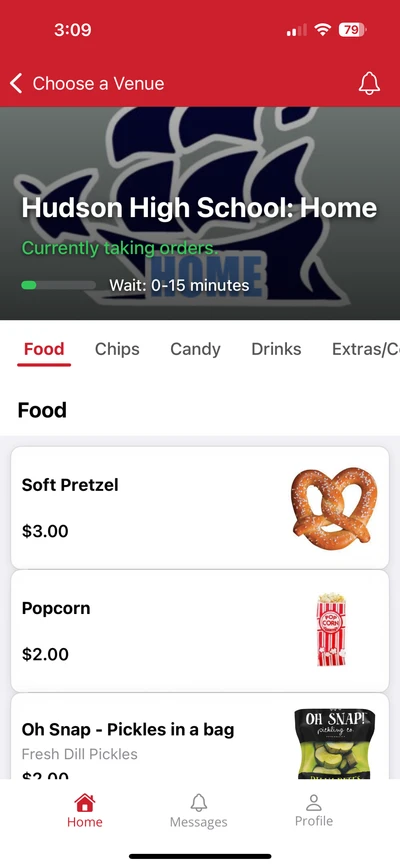
Put a QR code on the side of the truck. Customers scan it, order and pay on their phone, and get a text when the order is up, so the line moves while you cook. The terminal on the truck rings walk-ups with cash, card, Apple Pay, or Google Pay, and every sale from both shows up on one report.
Start free, no setup fee Cash, card, Apple Pay, Google Pay Support from people who have worked a stand

Three ways to order
Every order lands in the same kitchen and the same report.
From the line
- 1.A customer scans the QR code on the truck
- 2.Orders and pays on the phone
- 3.Gets a text. Picks up at the window.
The line moves while you cook
At the window
- 1.You tap the items on the terminal
- 2.Cash, card, or phone
- 3.The ticket prints on the truck
Under a minute per order
Ahead of time
- 1.An office orders lunch before you arrive
- 2.Each person picks a pickup time and pays
- 3.The orders are bagged when you park
Paid before you arrive
Events with several trucks
Each truck keeps its own menu and its own report.
At a festival or a brewery night, every truck runs its own terminal and its own QR code. An organizer who wants one report for the whole event can put all the trucks on one account; each truck still sees only its own sales, by terminal.
Customers at a picnic table can scan the code, order from two trucks, and pick up at each window when the text comes.
A kiosk at the window
Let people order themselves while you keep cooking.
A truck is two people and one window. A kiosk on a stand outside the truck takes orders and payment on its own, so the line feeds itself and you stay on the grill instead of stopping to ring every order.
It runs the same menu as the terminal, so an item marked sold out is gone from the kiosk too. At a festival it earns its keep fast, and it folds down and travels with the truck.
- Takes card, Apple Pay, and Google Pay on its own
- Counter or floor stand, and it packs up with the truck
- Same menu and the same report as the window

Sold out
When the brisket is gone, tap it sold out once.
Mark an item sold out on the terminal and it is marked sold out everywhere it is listed, so nobody in line orders what you cannot make. Change a price the same way. The menu on the truck, on the phone, and on a TV in the window all read the same.

Reports
Know which spot was worth the drive.
The report is live to the second, by day, by event, and by item. Compare the brewery on Friday with the office park on Tuesday, see what sold out first, and export the month for your accountant in one click.
- Sales by day
- Friday at the brewery, Tuesday at the office park
- Sales by hour
- When the lunch rush hit
- Cash, card, and phone
- Reconciled against the drawer
- Items sold
- What ran out, what did not move
- Refunds and voids
- Who, when, and why
The report. Export it for your accountant in one click.
On the truck.
Each terminal comes with a card reader, a cash drawer, and a printer. It arrives set up for your menu.
- Runs on the truck Wi-Fi or a phone hotspot
- Cash, card, Apple Pay, and Google Pay
- Cash sales keep going when the signal drops, and sync when it comes back
- Start free with mobile ordering only, no setup fee
- Support from people who have worked a stand
See it on a truck near you.
A thirty-minute call to walk through the terminal and mobile ordering, or we can put you in touch with a truck near you that uses it.