Product Features
Nobody Wants to Stand in Line Anymore: Why Mobile Ordering Belongs at Your Venue
Kelly September 14, 2026 7 min read
It is the middle of the third quarter. The line at the concession stand is 22 people deep. Half of them are looking at their phones, half are looking at the field, and every one of them is doing the same math: is a hot dog worth missing a touchdown?
A lot of them decide it is not. They step out of line. That is a sale you never made, and a fan who goes home a little less happy than they should have.
People do not wait anymore. They order coffee before they leave the house. They tap a button and a pizza shows up. They scan a code at the table instead of flagging down a server. Your fans already live that way everywhere else, so when they get to your stadium and see a 20 minute line, it feels like a step backward.
Mobile ordering fixes that. It is the piece that lets a high school gym or food truck deliver the same experience a pro stadium does, without hiring one more person.
What Mobile Ordering Actually Is
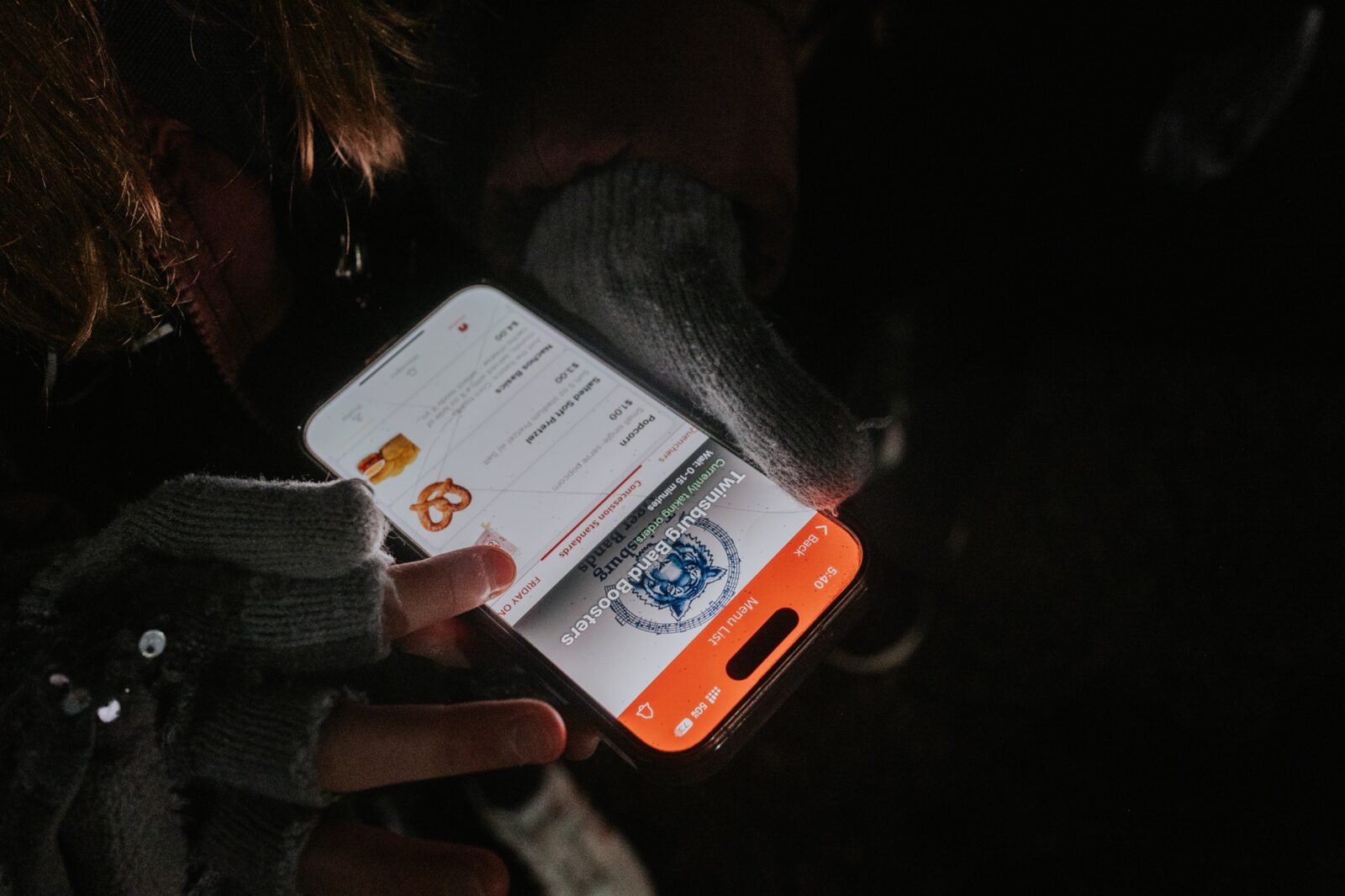
BlazeBite Mobile Ordering lets a fan order and pay from their own phone, from wherever they are sitting, and pick the food up when it is ready. No account to create. No line.
It is not a delivery service (although it can be, if your venue has the staff to run food out). It is not a third-party marketplace taking a cut of your menu either. It is your stand, your menu, your prices, running on your fans' phones.
Exactly How It Works
- The fan scans a QR code. Codes go on the bleachers, the entry gate, the restroom doors, the back of the program, and the tables. Some venues go bigger and hang a giant QR code right on the scoreboard. If your scoreboard is all digital, put the code up on the screen with "Skip the lines" next to it and let the whole crowd scan at once. From there a fan can download the BlazeBite app or go straight to order.blazebite.com. Either way your menu is in front of them in seconds.
- They order and pay. They pick their items, add what they want, and pay with a card, Apple Pay, or Google Pay. Checkout takes under 30 seconds.
- The order hits your stand. It prints on your receipt printer and lands on the Kitchen screen the second it is placed. Your volunteers work the same tickets they already work, they just get them without anybody shouting over a counter.
- The fan gets a message when it is ready. No hovering. No "is that mine?" They stay in their seat and watch the game.
- They grab it and go. Walk up to the express pickup window, take the bag, walk away. The whole trip is 30 seconds instead of 15 minutes.
What It Does for Your Venue
- A better fan experience. Your fans watch the game instead of the back of somebody's head. That is the whole pitch, and it is the one they will remember.
- Shorter lines. Every mobile order is one body out of the walk-up line. That makes the line shorter for the people still standing in it, so even the fans who do not use their phone get a faster trip. Our venues see fulfillment run 37% faster once mobile orders are flowing.
- More revenue. Two things happen. Fans who would have walked away from a long line now order, and fans who do order tend to add more when they are browsing a menu on their phone instead of rushing a cashier. Venues on BlazeBite average 22% more orders per event.
No Extra Staff, Just a Better Use of the Ones You Have
You are not adding a register and you are not adding a person. Look at how one of your windows runs today: two people on it, one taking cash and cards, the other expediting. Once mobile orders start flowing, those same two people turn that window into an express pickup window. Same bodies, same window, doing a much faster job. Orders show up already paid and already itemized, so nobody is counting change or repeating an order back over the noise.
Expect a little hesitation on night one. Volunteers do not always want to be the first one on the new window. That lasts about a game. By the second one they are usually fighting over who gets the BlazeBite window, because there is no cash to count and nobody standing there deciding what they want. You hand food out, you keep orders moving, and the fans coming through are noticeably happier.
It Works Best Next to Everything Else
Mobile ordering is a real product on its own. A venue can start there and nothing else. It gets better, though, when it sits next to the rest of the system, because every order lands in the same place no matter how it came in.
- With the BlazeBite POS terminal. Walk-up fans pay at the counter, phone fans order from their seat, and both show up in one sales report at the end of the night. One inventory count. One drawer to tie out. You never have to reconcile two systems that disagree.
- With the self-service kiosk. Fans who did not bring a phone (or did not see a QR code) can still skip the cashier. Mobile, kiosk, and register together mean nobody has to wait for a human to take an order.
- With digital menu boards. Your menu updates in one place and changes everywhere at once: the board over the counter, the kiosk screen, and the phone in a fan's hand. Sell out of pretzels and all three go dark together. The boards also run live order status, so "Preparing" and "Ready for Pickup" show right above the counter. A fan can look up from their seat and see exactly where their order stands, and nobody crowds the window guessing.
That is the point. Three ways to order, one system behind them.
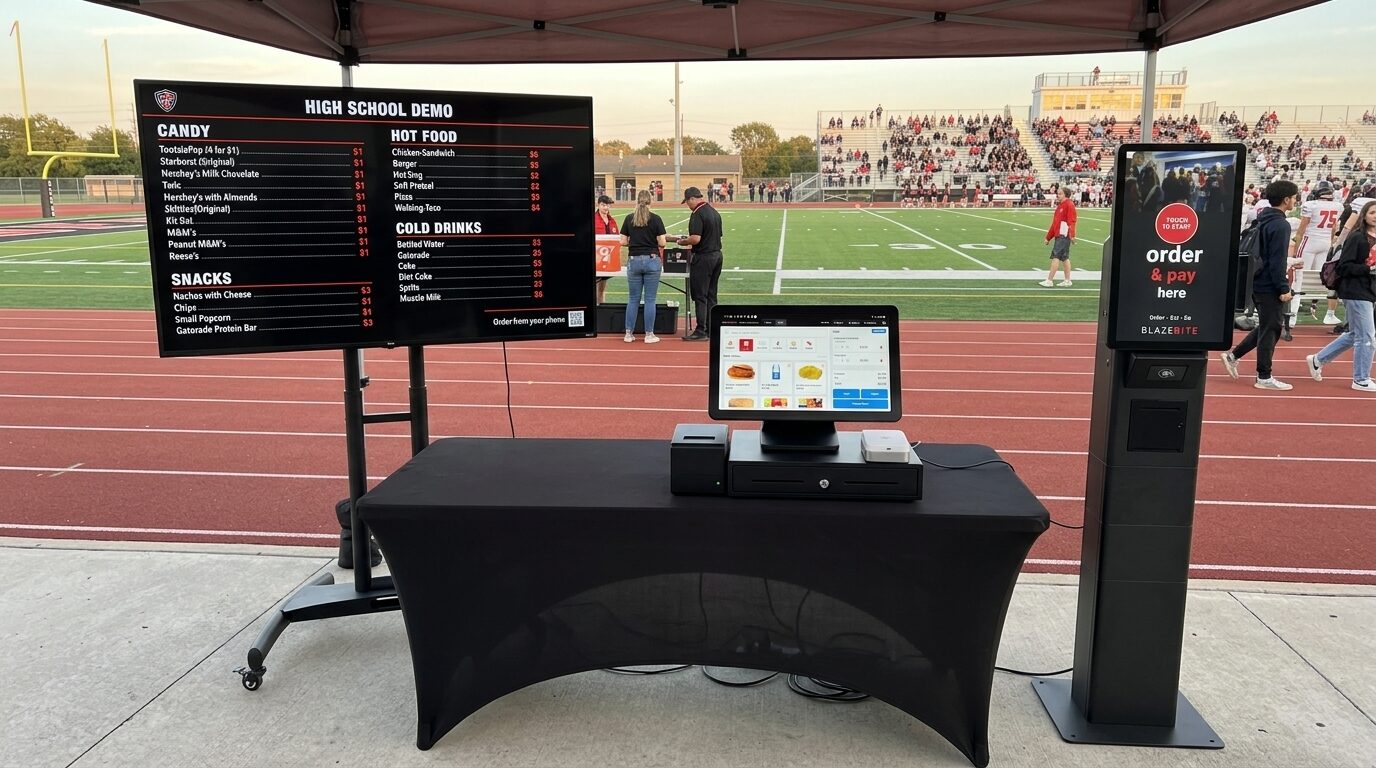
Already have another point-of-sale system? That is fine. Mobile ordering does not require our POS. It runs alongside most other point-of-sale systems, so you can add it without replacing the register you already bought. Most venues do move over to the BlazeBite POS eventually, and it is usually for the same two reasons: they want the reporting and the inventory in one place instead of two systems that do not talk, and they want a support line that picks up. When something goes sideways at 7:15 on a Friday, you get a person who knows your stand.
Do Not Forget Pre-Orders
Mobile ordering has a second gear. With Pre-Orders, fans and groups can order days before the event, so you know demand before the gates even open. High school bands use it the week of a home football game to line up meals for the kids, and the stand knows exactly what to prep instead of guessing.
We wrote a whole blog on that one. Read how bands are using BlazeBite Pre-Orders.
A Real Example
The Texas High School Athletic Directors Association put it this way after using BlazeBite at their state conference:
A real-time example of what a faster, more convenient fan experience can look like through the @realblazebite model. At our State Conference, attendees placed mobile concession orders straight from their phones and watched them come through instantaneously.
What It Costs
Two numbers. That is it.
| What | Cost | What you get |
|---|---|---|
| Equipment package (one time) | $1,200 | Tablet, receipt printer, your QR code signage, professional setup, and shipping |
| Non-Profit plan (annual) | $468 per year | Mobile ordering, your menu, and your reporting. That is $39 a month |
Card processing is standard fees, backed by Stripe.
Ready to Cut the Line?
Sign-up takes about 15 minutes. After a quick call with someone on our team, we send the equipment out to you. Within one week you are up and taking mobile orders with everything you need.
- Mobile Ordering
- Fan Experience
- Concessions
- Pre-Orders
- QR Codes
See it on a call.
A thirty-minute call. We ring a sale, print a ticket, and pull the report so you can see how it works.